Kerf & Focal may earn a commission when you buy through affiliate links, at no extra cost to you. How Kerf & Focal affiliate links work
If you are shopping for a desktop laser cutter, the honest short answer is that the right machine depends almost entirely on what you plan to cut and how large your workpieces are. A small enclosed engraver is a tidy, beginner-friendly tool for marking small items; an open-frame diode machine gives you a bigger bed and more cutting ambition but demands more from you on safety and workspace setup. Below we walk through the trade-offs, decode the specifications sellers advertise, and show where the listings in front of you actually fall.
The two form factors, in plain terms
Desktop "laser cutters" sold to hobbyists and small workshops generally come in two shapes, and the shape drives most of the other decisions.
Enclosed mini engravers
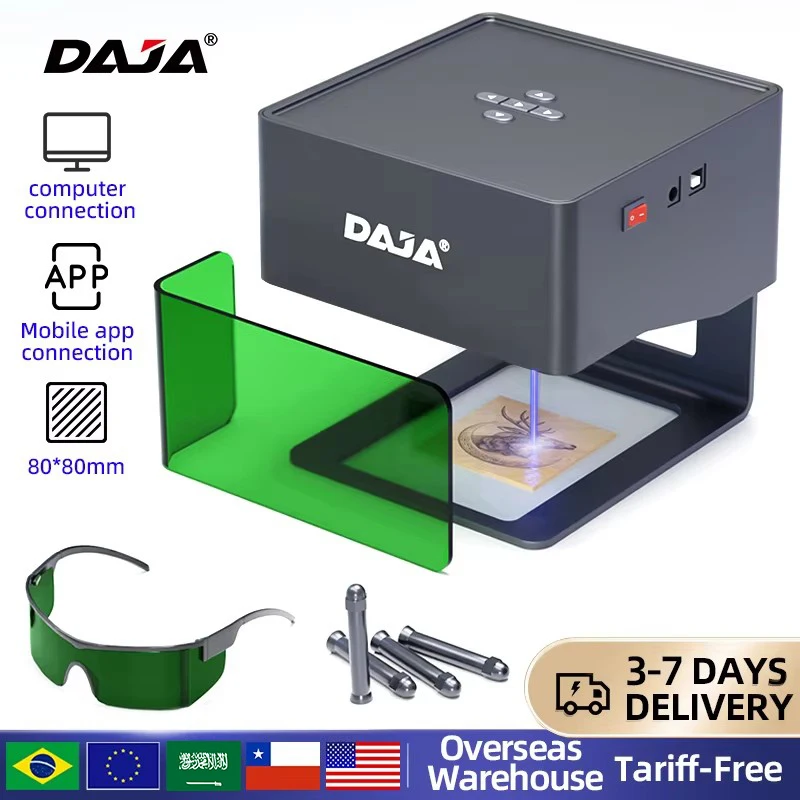
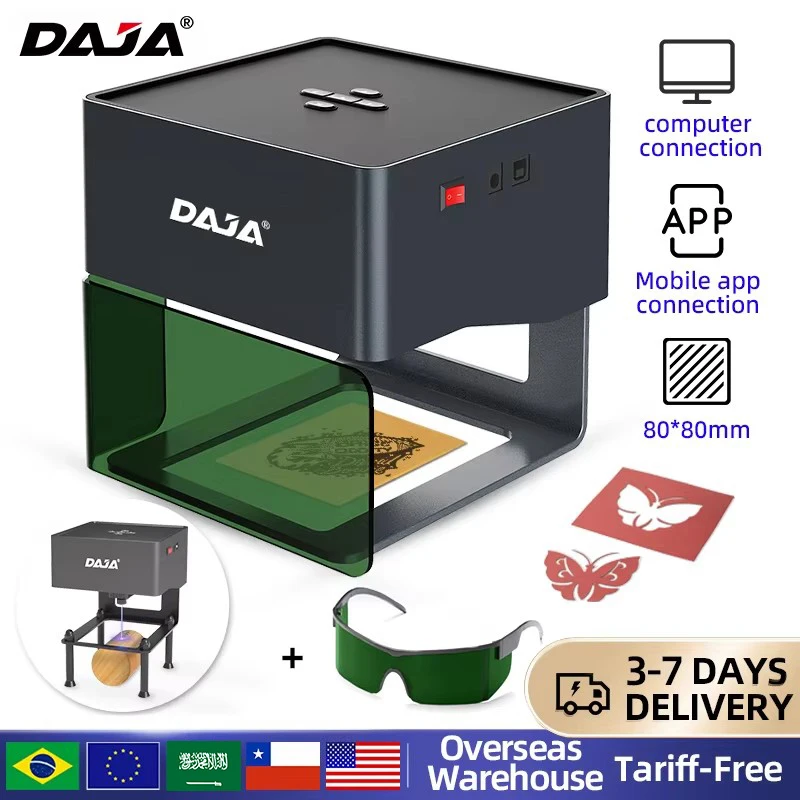
These are small, box-like machines where the laser sits inside a housing with a tinted viewing shield over the work area. The DAJA DJ6 listings in our comparison are examples: seller images show a compact enclosure with a green protective window, and an advertised work area of 80 × 80 mm. That footprint is genuinely convenient — the machine can live on a shelf and is small enough to move between jobs — but it means your workpieces must fit within roughly an eight-centimetre square. Engraving a dog tag, a phone case, a small leather patch or a sample tile fits comfortably. Engraving a cabinet door does not.
The enclosure is the real selling point for beginners. It puts a physical and optical barrier between the beam and your eyes during normal use, which open-frame machines leave up to you. That said, an enclosure is not a substitute for following the manufacturer's safety instructions, and you should read what the seller's documentation actually specifies about ventilation and eye protection before the first job.
Open-frame diode machines
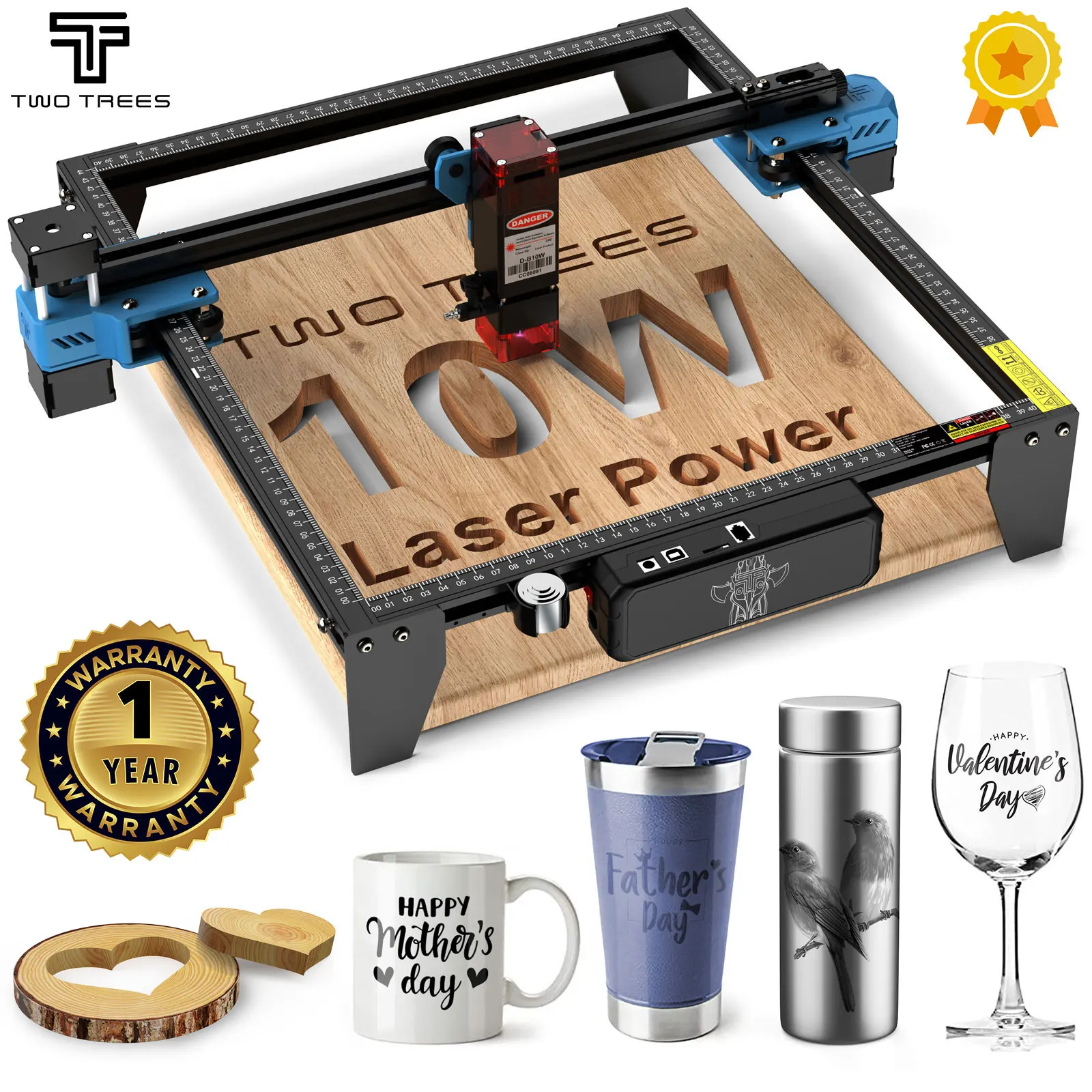
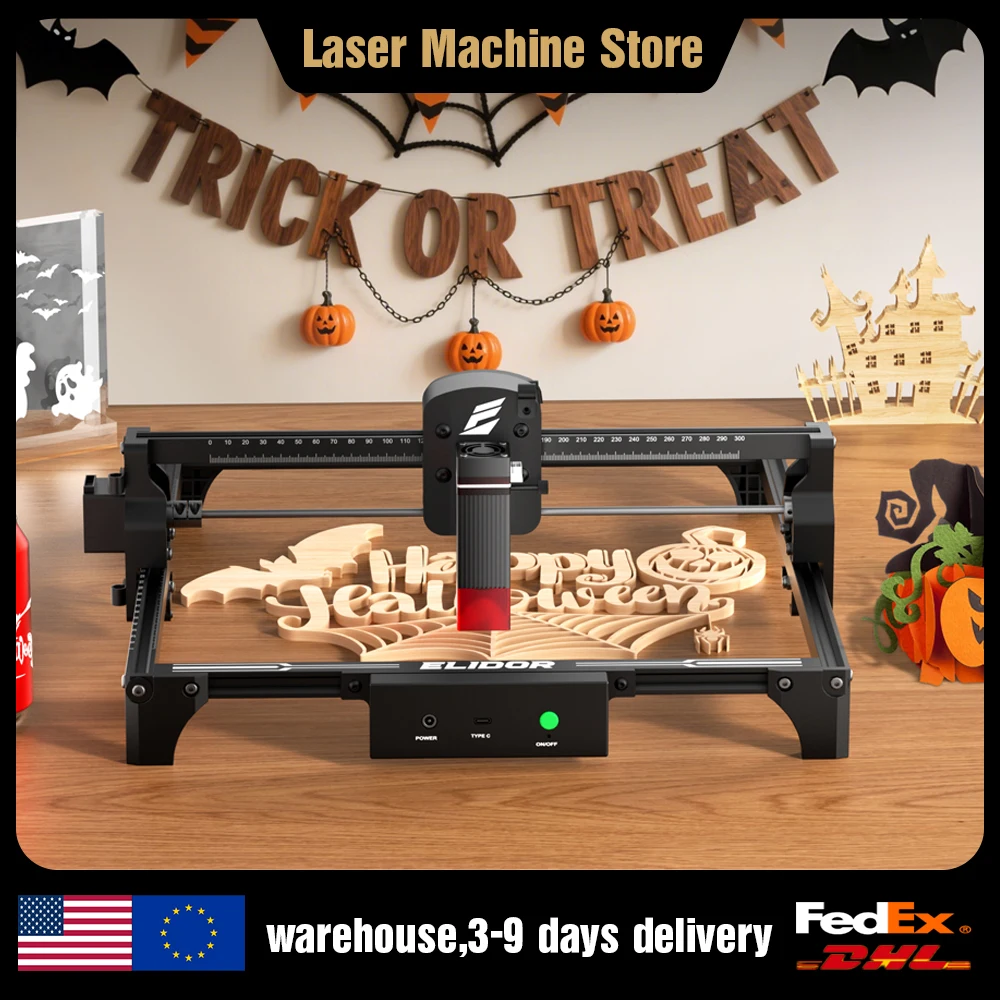
Open-frame machines look like what many people picture when they hear "laser cutter": a rectangular gantry on legs, with the laser module riding on a rail over an open work bed. The TwoTrees TTS-10 Pro and the ELIDOR Z6 are both advertised in this style. You get a much larger working area — the ELIDOR listing advertises 300 × 300 mm — and typically more headroom for cutting through wood and acrylic rather than just marking the surface.
The trade-off is that the beam is exposed. There is no tinted window between you and the work; eye protection, supervised operation and a sensible ventilation arrangement become your responsibility rather than the machine's. If you are setting up in a shared room or a family workshop, that is a real consideration, not a footnote.
What those wattage numbers actually mean
This is the single most confusing part of shopping for a desktop laser, and it is worth slowing down for.
Listings advertise figures like "6W," "12W," "80W" or "80W-class" — sometimes in the same product title. In the diode laser world, these numbers are frequently used inconsistently. A common trap is conflating input electrical power (what the module draws from the wall) with optical output power (the actual light energy hitting your material). Only the second one matters for cutting and engraving. A machine advertised as "80W" may well be quoting electrical input, not 80 W of optical output; a diode module producing 80 W of light would be far outside the typical hobbyist class.
The ELIDOR Z6 listing advertises "6W/12W" options, which more plausibly refers to optical output for a diode module of this class — but this is exactly the kind of figure you should confirm on the live listing rather than assume. The TwoTrees TTS-10 Pro listing carries an "80W" figure in its title; treat that number with particular skepticism until the seller clarifies what it measures.
In practical terms, higher optical output helps you cut thicker material in fewer passes and engrave faster. It does not automatically mean better engraving detail — for fine photo work, beam focus and spot size matter as much as raw power.
What can you actually put in it?
Sellers list compatible materials generously, and it is worth reading those lists carefully rather than taking them at face value. The DAJA DJ6 titles mention wood, painted metal, acrylic, glass and leather. The TwoTrees listing shows sample photos of engraved wood, coated metal, ceramic mugs and glass.
The important distinction is between engraving (marking the surface) and cutting (going all the way through). A diode laser can engrave a wide range of materials, but cutting is a narrower proposition — thin wood and some acrylics are realistic; thick hardwoods, metal and stone generally are not, at least not in this product class.
A common gotcha is bare metal. Diode lasers interact strongly with coatings and paints but reflect off bare metals like stainless steel and aluminium. When a listing says a machine can work on "metal," it is usually referring to painted, anodized or coated metal, not raw stock. If your goal is marking bare stainless steel, you may need a different laser technology entirely, or a marking accessory — which brings us to consumables.
Accessories worth budgeting for
Two accessories come up repeatedly in this category, and neither is included with the machines above.
Honeycomb working table
When you cut through material, the laser continues past the workpiece and hits whatever is underneath. A flat solid bed reflects that beam back up into the underside of your material, causing scorch marks and fume buildup. A honeycomb bed supports the workpiece on thin edges, letting the beam and debris pass through. ACMER advertises honeycomb tables in several sizes, including 300 × 300 mm through 440 × 440 mm, which cover the bed sizes of the open-frame machines in this guide.
Before ordering, measure your machine's actual usable bed and compare against the honeycomb's stated outer dimensions — honeycomb panels often have a frame that makes them slightly larger than the nominal work area.

Marking paper for tricky materials
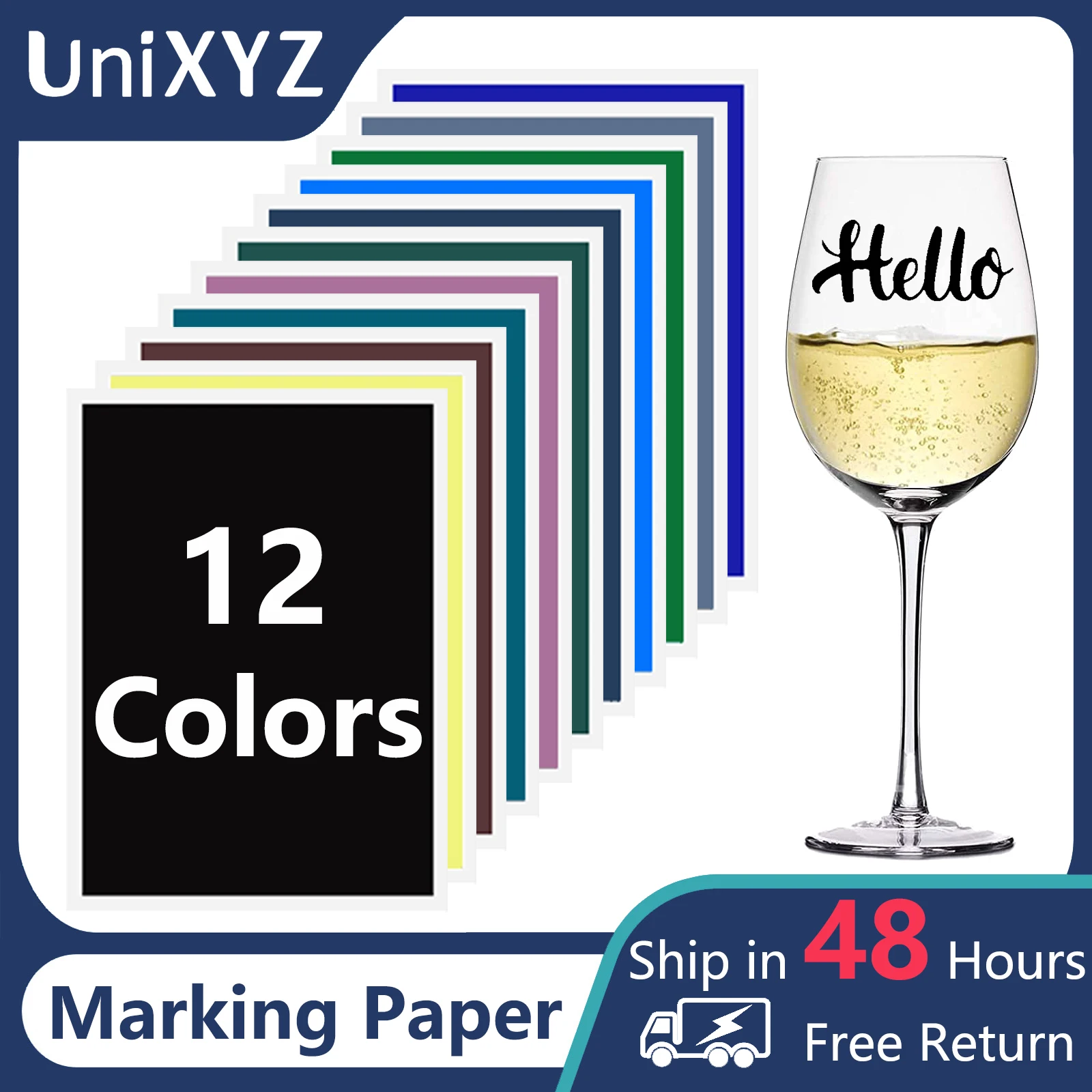
For materials that a diode laser struggles to mark directly — bare glass, some ceramics, certain stones — laser marking paper is an inexpensive workaround. You apply the paper to the surface, engrave through it, and the coating bonds a permanent mark to the substrate. UniXYZ sells a multi-colour pack advertised for use with CO2, fibre and UV laser machines. Note that the listing's compatibility statement refers to those laser types; whether a given paper works well with your specific diode module is a question for the seller or the paper's own documentation.
Safety: the part nobody puts in the product title
Every machine in this category is a fire-capable tool that produces intense light, and none of the listings reviewed here include a complete safety specification. Do not treat the tinted shield on an enclosed machine as a full safety solution on its own.
At minimum, before your first job, confirm the following from the machine's own manual and documentation:
- Eye protection. What eyewear does the manufacturer specify, and is it rated for your machine's specific wavelength? Generic "laser safety glasses" from a marketplace are not interchangeable — the protective rating must match the laser's wavelength.
- Ventilation. Cutting and engraving wood, acrylic and leather produces fumes. What does the manufacturer recommend for extraction, and is your workspace set up for it?
- Fire supervision. Never leave a running job unattended, and keep a fire extinguisher appropriate for your material within reach.
- Material safety. Some materials release toxic gases when laser-cut — PVC and vinyl are the classic examples. When a listing does not say which acrylic or plastic types are safe, do not experiment.
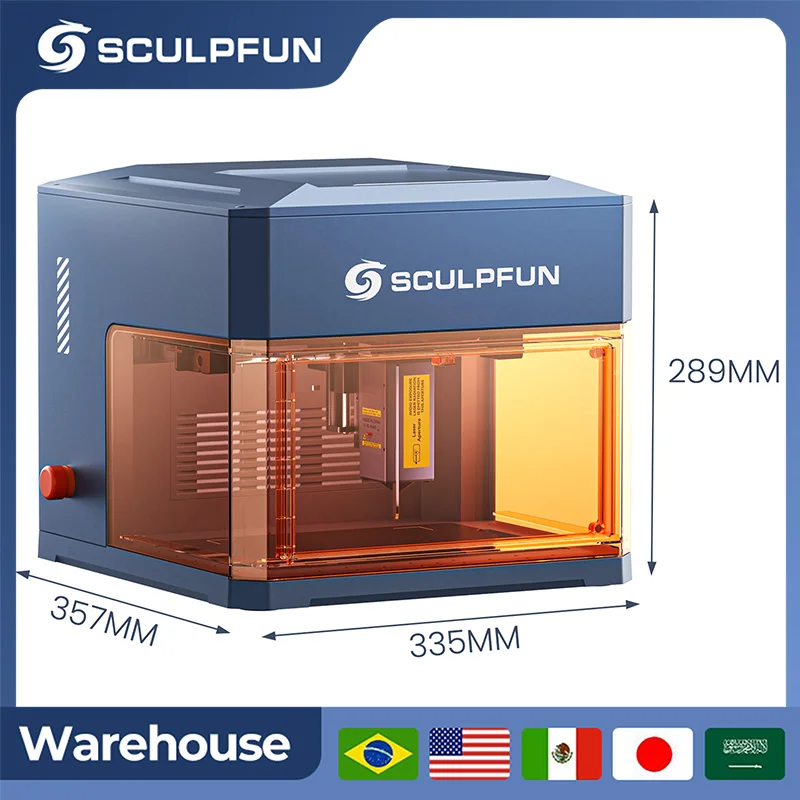
For a fuller look at enclosure and accessory considerations on a specific enclosed diode machine, our SCULPFUN 12W guide covers what comes in the box and which accessories actually fit.
Pre-purchase checklist
Before you click buy, walk through these questions. If a listing does not answer them clearly, contact the seller before ordering rather than after.
- Is the wattage figure optical output or electrical input? This is the most common point of confusion and the easiest to get wrong.
- What are the exact usable work-area dimensions? Advertised work areas can refer to different axes of travel; the real usable area may be slightly smaller.
- Which variant is in my cart? Machines like the ELIDOR Z6 are advertised with multiple power options (6W vs 12W). Double-check you have selected the one you actually want before paying.
- What comes in the box? The DAJA DJ6 images show a pair of safety glasses and a lifting stand accessory. Images on listings are illustrative — confirm on the listing's package contents section what is actually included with the specific variant you are buying.
- What software does it work with? Neither listing reviewed here specifies supported software. Ask the seller before buying if you depend on a particular program.
- Will it ship to my address? Several listings advertise overseas warehouse shipping with delivery estimates, but delivery eligibility always depends on your specific address, the variant you select and current stock. Verify at checkout.
The bottom line
For someone marking small personal items — dog tags, coasters, phone cases, sample tiles — a compact enclosed machine like the DAJA DJ6 is the easier entry point, with a built-in shield and a footprint that does not dominate your desk. For someone cutting parts, working with larger panels, or engraving furniture components, an open-frame machine like the ELIDOR Z6 (advertised at 300 × 300 mm) or the TwoTrees TTS-10 Pro is the more capable platform — but you will need to supply your own eye protection discipline, ventilation and workspace setup.
Whichever route you take, the specifications on this page are seller-advertised and were captured on 2026-10-23. Recheck the live listing before purchasing — confirm the wattage definition, the exact variant, the package contents and delivery availability to your address.
Evaluation is based on published specifications and seller listings. No physical or hands-on testing was conducted; unlisted specifications may still be available from the seller.